Pending, with no reason.
Researchers wait on jobs nobody can explain, and platform engineers become the help desk for every quota question.
 tenantplaneBook a demo
 GPU orchestration for Kubernetes
One console for training jobs and model serving, on the Kubernetes scheduler you already run. Kueue handles quotas, llm-d routes inference, and every team sees exactly what is happening.
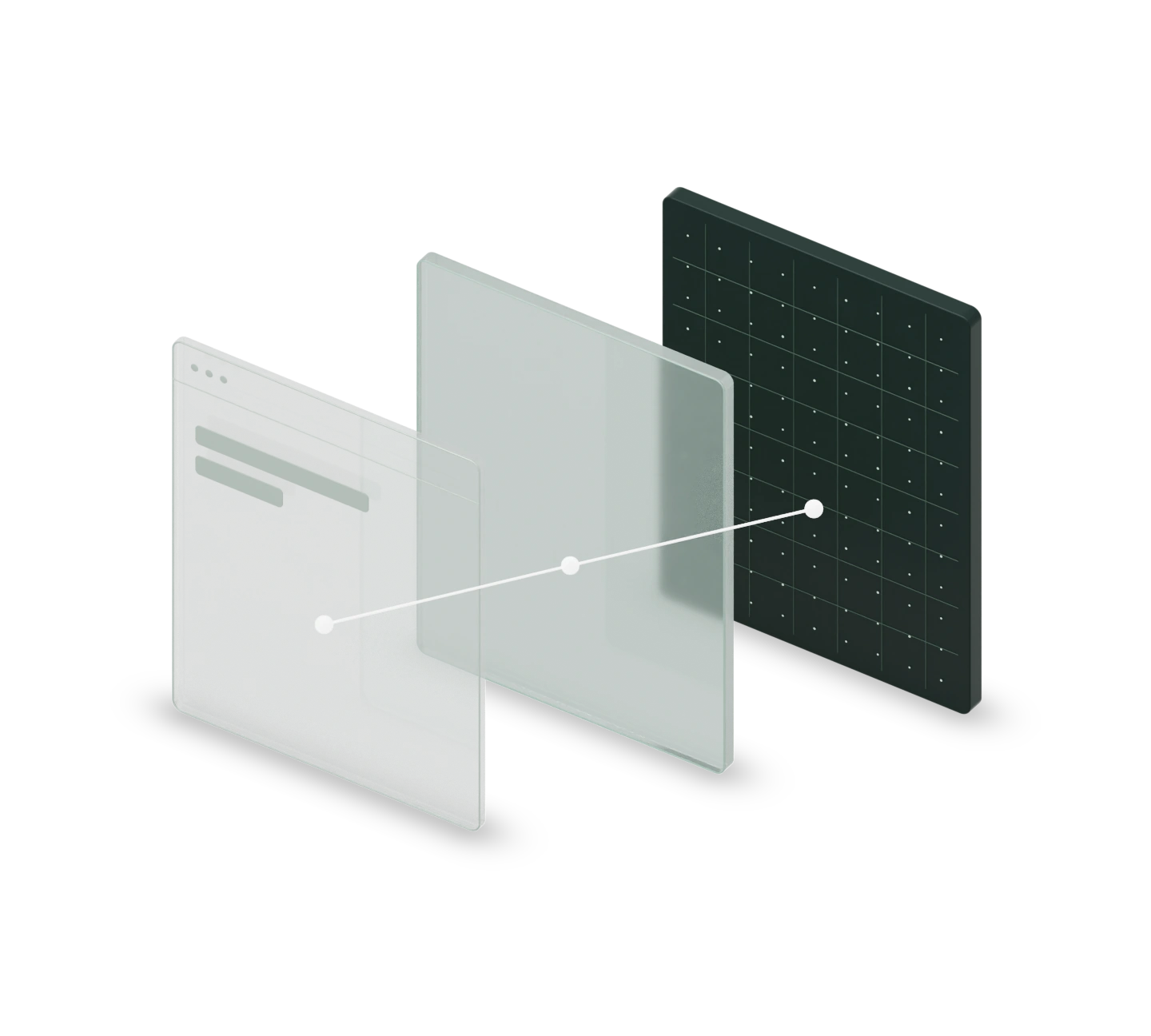
No replacement scheduler
Guaranteed, borrowable, preemptible
vLLM behind llm-d’s router
Standard Kubernetes objects
Kueue and the Kubernetes scheduler are becoming the standard way to share GPUs. The experience around them is still kubectl, YAML and dashboards that say a pod is Pending without saying why.
Researchers wait on jobs nobody can explain, and platform engineers become the help desk for every quota question.
Borrowing is invisible, so teams hold on to GPUs. Expensive hardware sits idle while work waits in line.
Every model needs its own deployment, routing and dashboards before anyone can call it.
Four pages: Overview, Jobs, Models and GPUs. Every status is one sentence that says what is happening and what would change it.
Open the interactive demo
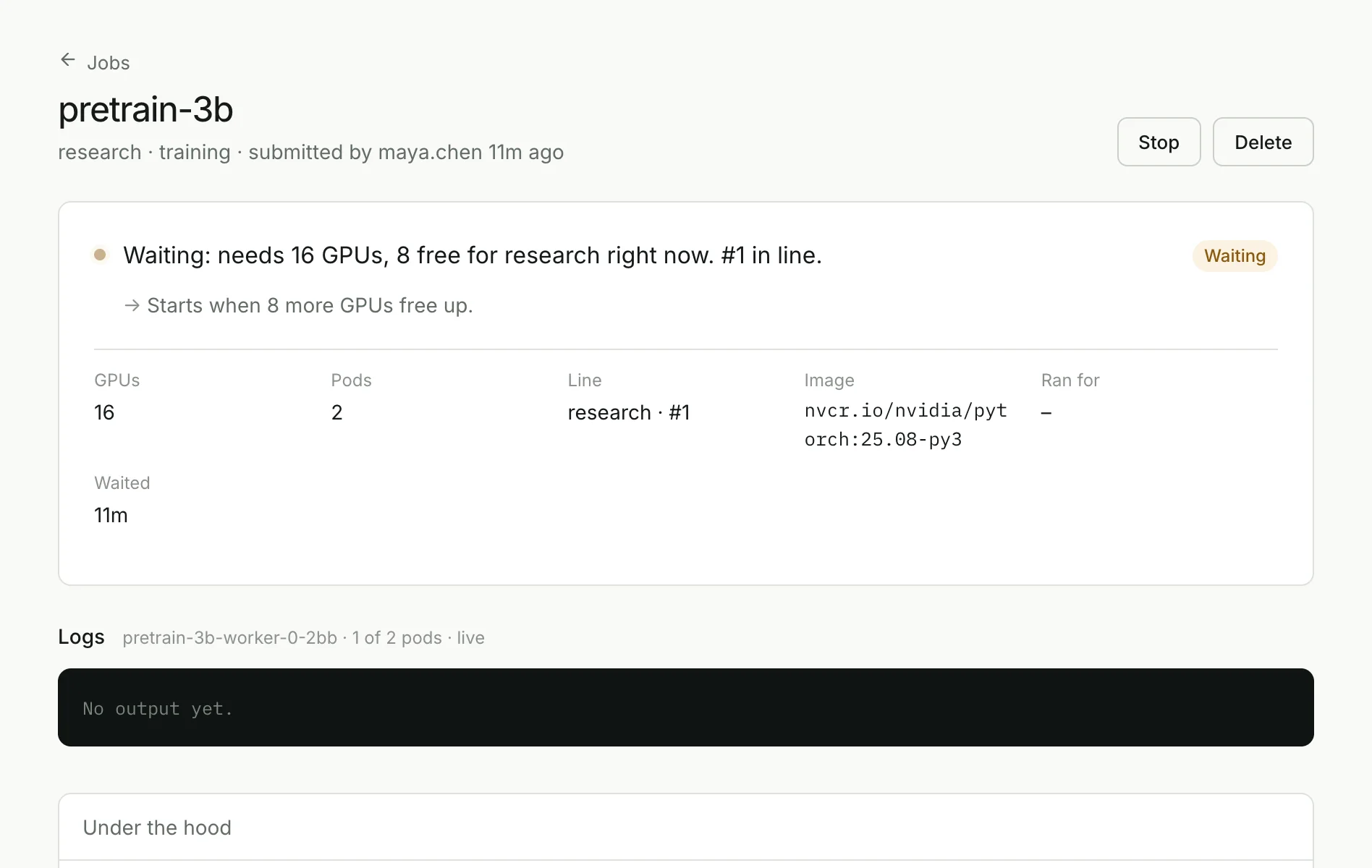
Not “Pending”. Instead: “Waiting: needs 16 GPUs, 8 free for research right now. #1 in line.” Kueue’s admission state, translated into the one thing that would unstick it.
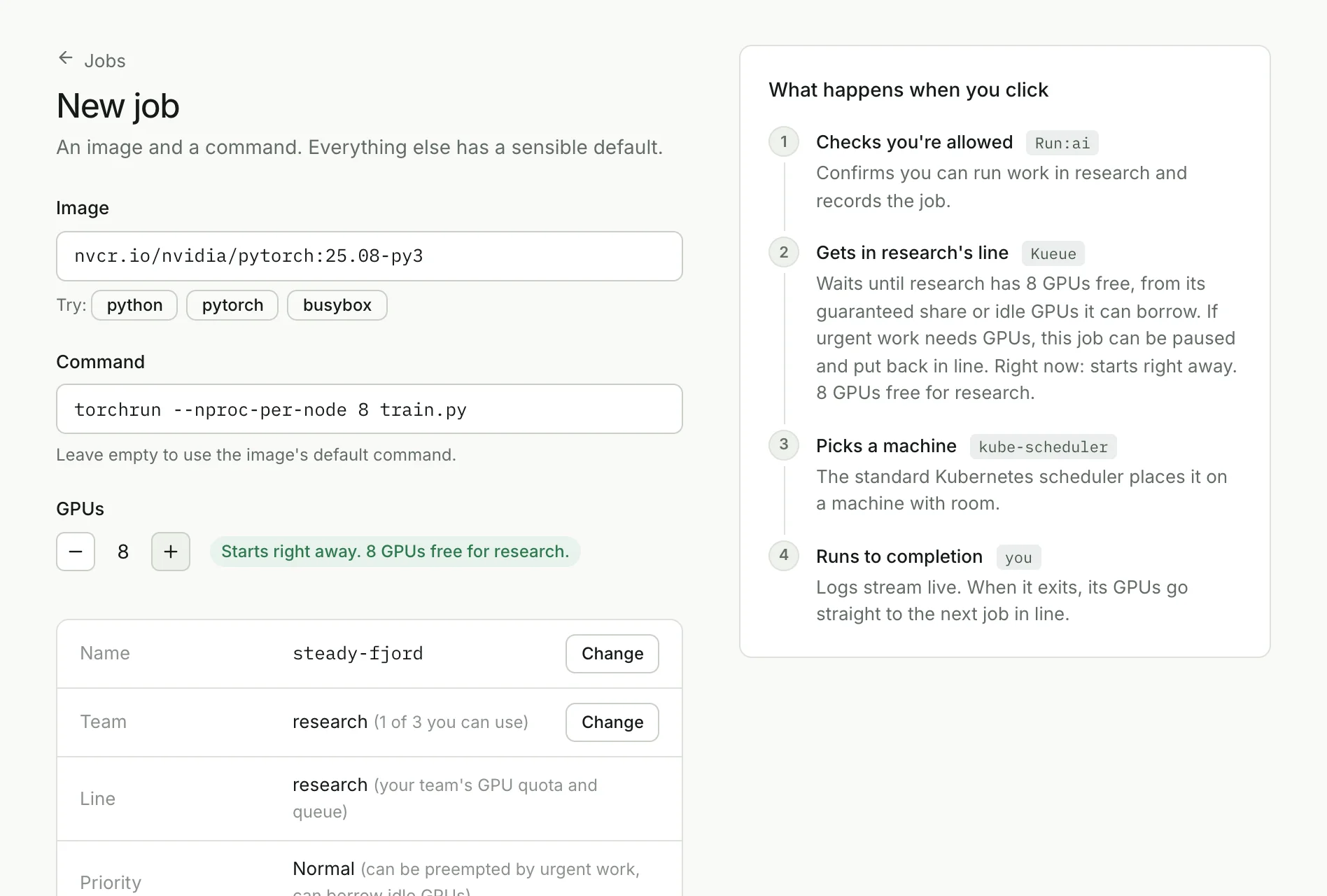
An image, a command and a GPU count. Before you click, the console predicts whether the job starts now, waits in line or can never fit, using the same quota rules Kueue enforces. Then it shows exactly what will happen, step by step.
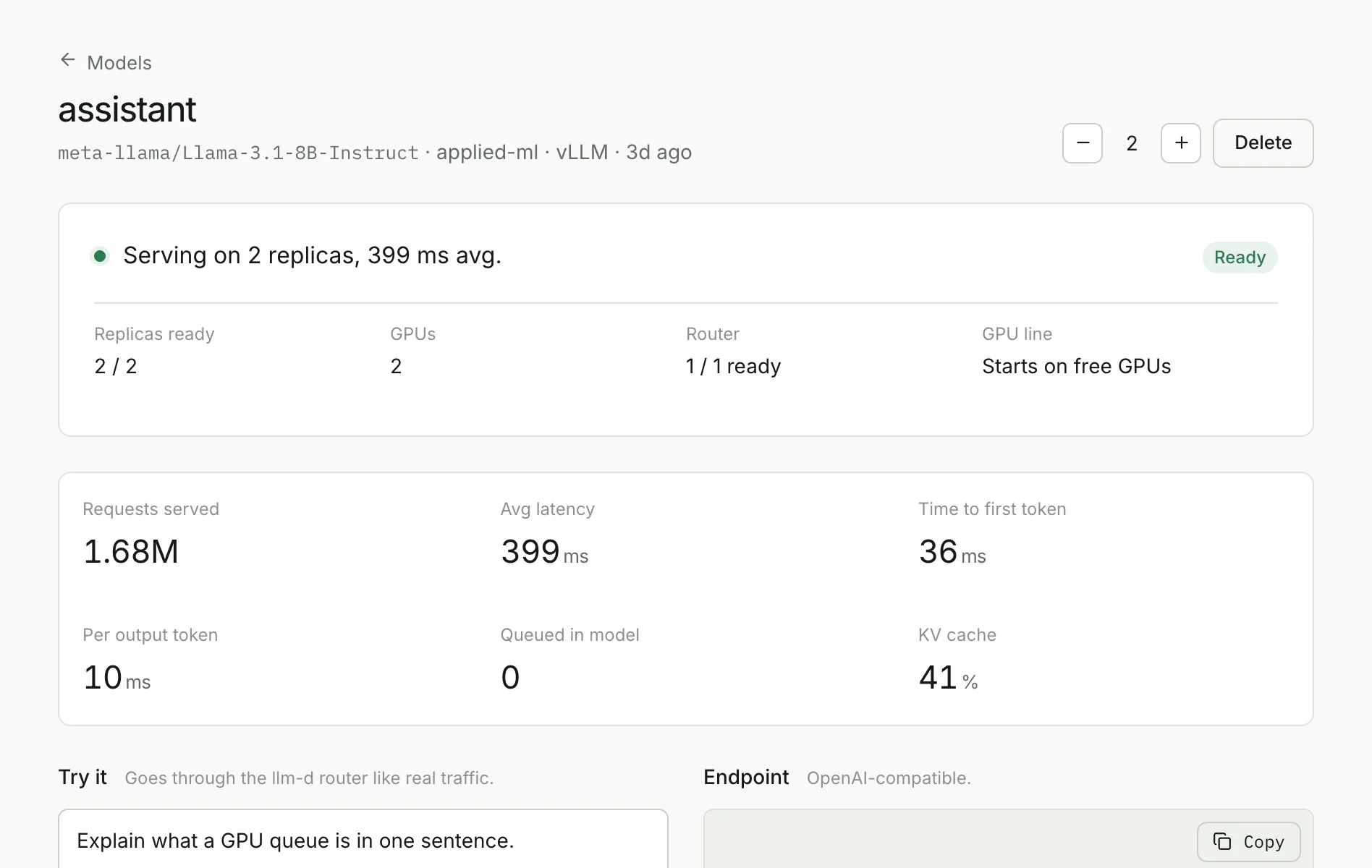
Name a model. vLLM serves it, llm-d’s router sends each request to the replica with the best cache hit and the shortest queue, and you get an OpenAI-compatible endpoint with latency, cache and live logs.
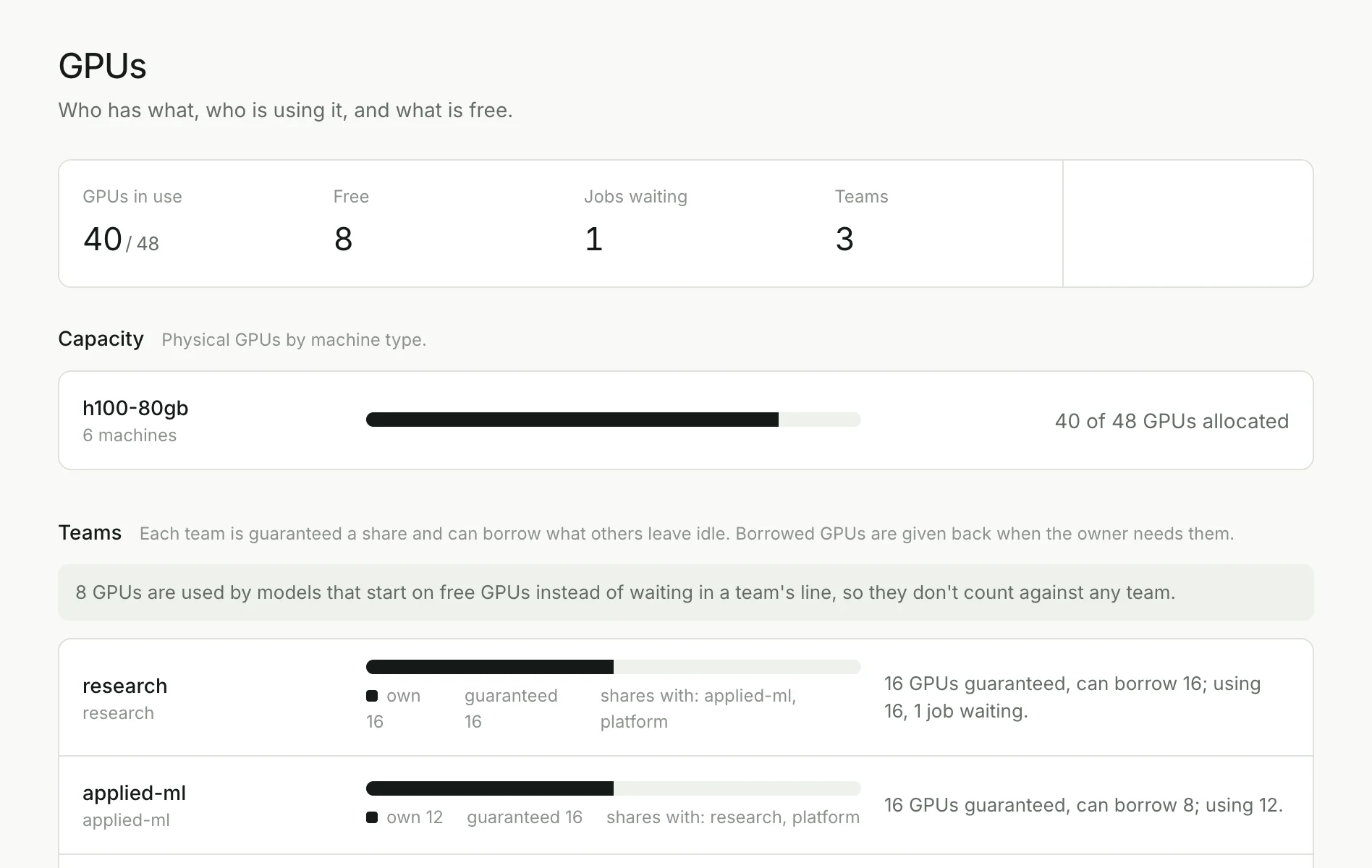
Each team has a guaranteed share and can borrow what others leave idle. Borrowed GPUs go back when their owner needs them. One page shows who has what, who is using it and what is free.
“Why is pretrain-3b waiting?” is answered from live cluster state, by the same rules the pages use. Nothing is guessed.
Run:ai’s role-based access control decides who can view, submit or serve. Tokens stay on the server, never in the browser.
PyTorch, TensorFlow, XGBoost and MPI jobs are gang-admitted, so a job’s workers start together or not at all.
Each action shows the request it makes. Anything done in the console can be scripted or run from CI.
Tenantplane doesn’t sit in the scheduling path. It reads and writes the same Kubernetes and Run:ai objects your platform already uses, so you keep every upstream improvement and nothing gets locked in.
Questions platform teams askAn end-to-end suite runs against a real Kubernetes cluster with Kueue, llm-d and the Run:ai control plane installed, and browser tests drive every screen of the console.
Covered: quota admission and borrowing, preemption by priority, all-or-nothing admission of distributed PyTorch jobs, jobs that can never fit, llm-d request routing, multi-node serving on LeaderWorkerSet, and role-based access for every write.
Still deciding? We’re happy to walk through your cluster and how it would map onto teams and quotas.
No. Pods are placed by the default Kubernetes scheduler. Kueue decides when work is admitted, based on quotas and priority, and is a Kubernetes SIG project. No KAI, Volcano or other replacement scheduler is installed.
They keep running. Everything the console creates is a standard object: Jobs, PyTorchJobs, LeaderWorkerSets, Kueue ClusterQueues and LocalQueues. You can inspect and manage all of it with kubectl.
Nowhere new. Tenantplane runs in your cluster, next to your workloads. Sign-in tokens are kept server-side in an encrypted session, and every request is checked against your existing access rules.
Batch and training jobs; distributed PyTorch, TensorFlow, XGBoost and MPI training with gang admission; and LLM serving with vLLM behind llm-d, including models that span several machines.
NVIDIA GPUs exposed through the NVIDIA device plugin or GPU Operator, on any conformant Kubernetes cluster in the cloud or on-premises. Quotas are defined per GPU type, so mixed fleets get separate shares.
An end-to-end suite runs 72 checks against a live Kubernetes cluster: quota admission, borrowing, preemption, gang-scheduled distributed training, llm-d routing and multi-node serving. Browser tests drive every screen.
Book a walkthrough. We look at your cluster, teams and workloads, then install Tenantplane alongside your existing setup and hand it over with your quotas configured.
Book a 30-minute walkthrough. We’ll look at your GPUs, teams and workloads,
and show how Tenantplane would run them.